
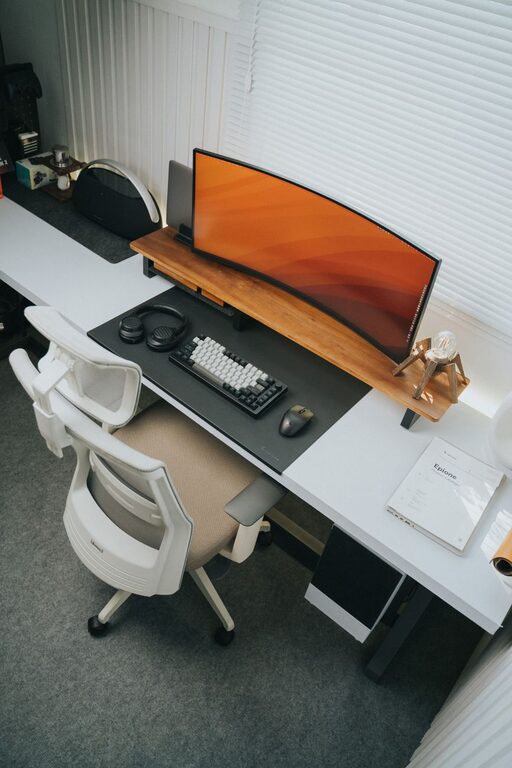
Tips for Organizing a Clutter-Free Home Office Space
Creating a clutter-free home office can significantly improve your productivity and focus. A well-organized workspace not only helps reduce stress but also makes it easier to find what you need when you need it. Whether you’re working full-time from home or just need a dedicated corner for occasional tasks, these tips will help you design a functional and tidy environment.
Why a Clutter-Free Home Office Matters
A cluttered space often leads to a cluttered mind. When your desk is piled with papers, office supplies, and miscellaneous items, it can be challenging to concentrate on your work. Organizing your space promotes efficiency and can even inspire creativity. Plus, a clean office looks inviting and professional, especially if you have video meetings.
Step 1: Declutter and Sort
Start With a Clean Slate
Before organizing, remove everything from your desk and office area. This can feel overwhelming, but it’s an essential step to see what you have and what you really need.
Sort Items into Categories
Group similar items together:
– Paperwork and documents
– Electronics and accessories
– Office supplies
– Personal items
– Reference books or manuals
Decide what to keep, toss, or donate. Digitize important documents when possible to minimize paper clutter.
Step 2: Choose the Right Furniture
Invest in Functional Pieces
A good desk with enough surface space is crucial. Consider desks with built-in drawers or shelves for extra storage.
Add Comfortable Seating
Choose an ergonomic chair to support your posture. Comfort helps maintain focus during long hours.
Use Vertical Space
Shelves, pegboards, or wall-mounted organizers utilize vertical space effectively, keeping your desk clear.
Step 3: Implement Smart Storage Solutions
Drawer Organizers and Dividers
Keep small items like pens, paper clips, and sticky notes neatly separated in drawers.
File Organizers and Bins
Use labeled file folders or boxes to keep paperwork accessible but out of sight.
Cable Management
Tidy up cords and chargers with cable clips, sleeves, or under-desk trays to prevent tangling and distraction.
Clear Containers or Jars
Store items like rubber bands or push pins in transparent containers to easily see what you need.
Step 4: Create a Daily Routine to Maintain Order
End Each Day with a Quick Tidy
Spend 5-10 minutes clearing your desk, filing documents, and putting away supplies. This habit keeps clutter from building up.
Handle Mail and Paperwork Immediately
Sort mail and paperwork as soon as it arrives, recycling junk mail and filing important documents right away.
Minimize Personal Items on Your Desk
Keep only a few meaningful decor pieces to avoid overcrowding your workspace.
Step 5: Optimize Your Workflow
Designate Zones
Create distinct areas for different tasks, such as a computer station, a writing space, and a reference zone.
Keep Essentials Within Reach
Store frequently used items close to your workspace to reduce distractions from searching.
Use a Planner or To-Do List
Physical or digital planners help you organize tasks and deadlines without cluttering your desk with notes.
Additional Tips for a Pleasant Environment
Add Natural Light and Plants
Good lighting improves mood, while plants can reduce stress and improve air quality.
Personalize Your Space Thoughtfully
Choose colors, artwork, or accessories that motivate you without causing visual noise.
Take Breaks to Refresh
Regular breaks help avoid fatigue and keep your mind sharp, making your workspace more enjoyable.
—
By following these steps, you can transform your home office into an organized, clutter-free haven conducive to productivity and comfort. Remember, maintaining order is an ongoing process, but with simple habits and smart solutions, keeping your workspace tidy can become second nature.
